1. Check your invitation email
If we have already migrated your account, you will receive an email invitation similar to the one shown below.
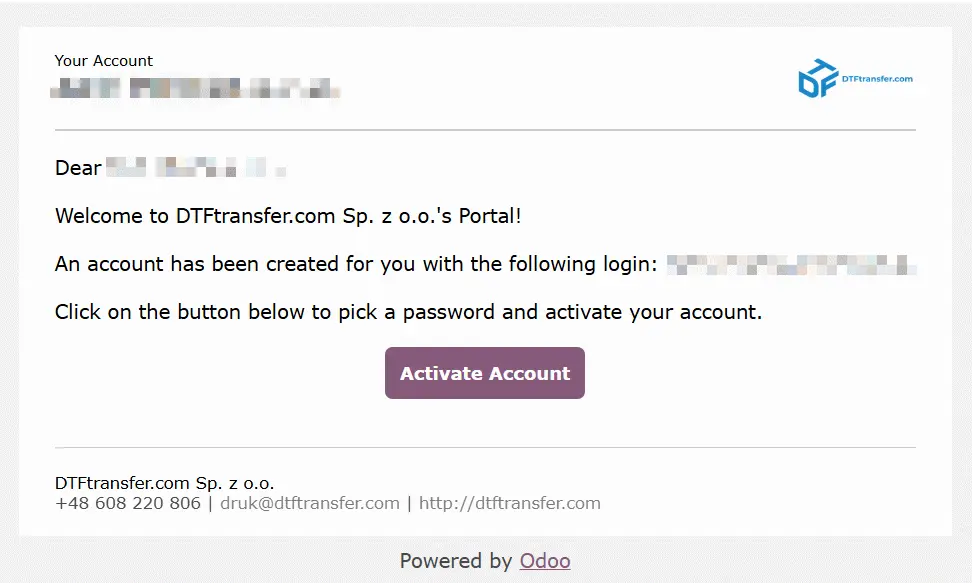
Simply click the activation link in the email.
2. Create your new password
You will be taken to a page where you can set a new password for your account.
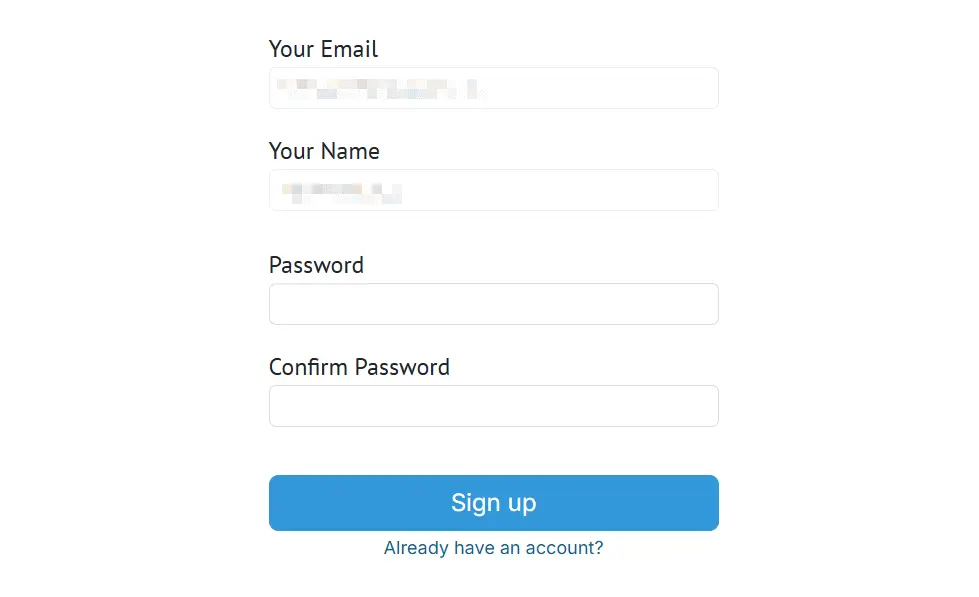
Once your password has been created, your account is ready to use.
From now on, you can log in to the new ordering portal using:
Username: the email address that received the invitation
Password: the password you have just created
Why should I use the migrated account?
Using your migrated account allows us to keep all your information in one place, including:
- your order history,
- your invoices,
- your account details.
This also helps prevent duplicate customer accounts.
The invitation was sent to the wrong email address
If the invitation was sent to another email address (for example, a different department or another employee in your company), please contact us before creating a new account.
We will update your account and send a new invitation to the correct email address.
I haven't received an invitation
If you have not received an invitation email, you will be able to create a new account using the standard registration form starting July 1, 2026.
Can I place an order without an account?
Yes. From July 1, 2026 you will be able to place orders as a guest without creating an account.
However, we recommend creating an account to access your order history, invoices, and future orders in one convenient place.